Commercial Vehicle Lettering
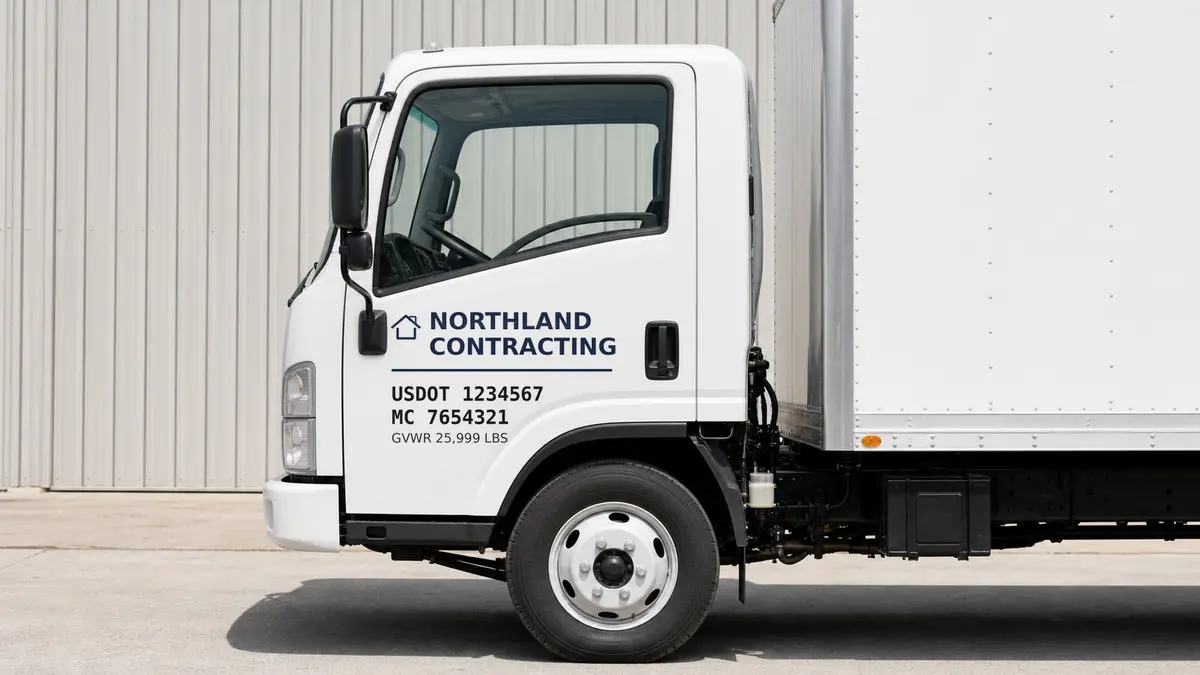
Create clean USDOT numbers for commercial vehicles.
Build USDOT, MC, GVW, or company door lettering with clear block fonts, durable vinyl, and an instant preview before you order.
Readable block fonts
Truck door ready
Outdoor vinyl
1
Enter DOT text
Add the exact USDOT or company wording.
2
Pick font
Use clean styles built for quick readability.
3
Set dimensions
Choose height and total lettering width.
4
Preview order
Confirm the layout and add it to cart.
USDOT Number Designer
Build your USDOT lettering below. Enter your DOT number or company text, choose a block style and color, and preview it instantly.
Best for commercial vehicle lettering
Use clean, easy-to-read block fonts for door lettering, USDOT numbers, MC numbers, GVW, or company identification.
1. Enter text
2. Choose font
3. Set size
4. Pick color
5. Add to cart
Follow the steps below ⇩
Live Preview
Your lettering preview updates here as you type and change options.
Your Design Is Being Saved To The Cart!
Unable to add design to cart, Please try again!
Type the exact wording you want on your truck or vehicle door.
Step 2: Choose your font
Use the dropdown to select the font for your USDOT design preview.
Your preview will update when you choose a font.







































































Most USDOT lettering is commonly ordered at 2" to 3" high depending on your needs.
Adjust the overall width of your lettering set.
Step 4: Pick your color
Click a color and your preview updates below.
- Red
- Ice Blue
- Silver Grey
- Soft Pink
- Burgundy
- Blue
- Dark Grey
- Pink
- Orange
- Cobalt Blue
- Gold
- Turquoise
- Lime Green
- Purple
- Yellow
- Mint
- Black
- Forest Green
- Dark Purple
- Grass Green
- Coffee Cream
- White
- Brown
- Flat Black
Optional Metallic Flake Silver
Add metallic flake silverCreate Gradient Colors
Add gradient colors-
Shadow Color
- Red
- Ice Blue
- Silver Grey
- Soft Pink
- Burgundy
- Blue
- Dark Grey
- Pink
- Orange
- Cobalt Blue
- Gold
- Turquoise
- Lime Green
- Purple
- Yellow
- Mint
- Black
- Forest Green
- Dark Purple
- Grass Green
- Coffee Cream
- White
- Brown
- Flat Black
- CLICK BOX TO ADD SHADOW:
OR - CLICK BOX TO ADD OUTLINE:
- Upper Right:
- Upper Left :
- Lower Right:
- Lower Left :
- Adjust Shadow Width:
- Adjust Outline Width: